 SPLX OS
Run your business from one calm place.
SPLX OS gives you projects, strategy, CRM, ideas, and dashboards in a single workspace — so you can stop juggling six apps and a spreadsheet to keep your team aligned.
Whichever seat you sit in.
For leadership teams at businesses of roughly 5–25 people. Keep priorities, owners, and weekly decisions together.
Give each priority an owner.
Set priorities with your leadership team, assign the work, and review progress together each week.
- Keep your work together. Tasks, ideas, contacts, and deals share one workspace. My Day brings your upcoming work into focus.
- Make time for triage. Check My Day between meetings. Review sign-offs on the Approvals page.
- Your weekly team progress email. See what shipped, what slipped, and which projects are at risk.
30-day free trial · no credit card
"I have a team. I want fewer meetings spent chasing updates."
Standups, status emails, "quick syncs." Keep Quarterly Priorities, milestones, and a shared dashboard up to date, so the team can see where things stand without a meeting, and use the weekly review for decisions.
- Metrics connected to work. Scorecard metrics can take scheduled snapshots from your operational modules.
- A dashboard for your team. Review tasks due, active projects, and open problems in one place.
- Granular permissions. Your team sees what they need. The board sees what they need. Nobody sees both by accident.
Plan the work. Track progress. Review together.
SPLX OS includes fourteen modules. Start with projects, a Scorecard, and a dashboard for your weekly review.
Milestones with the full picture.
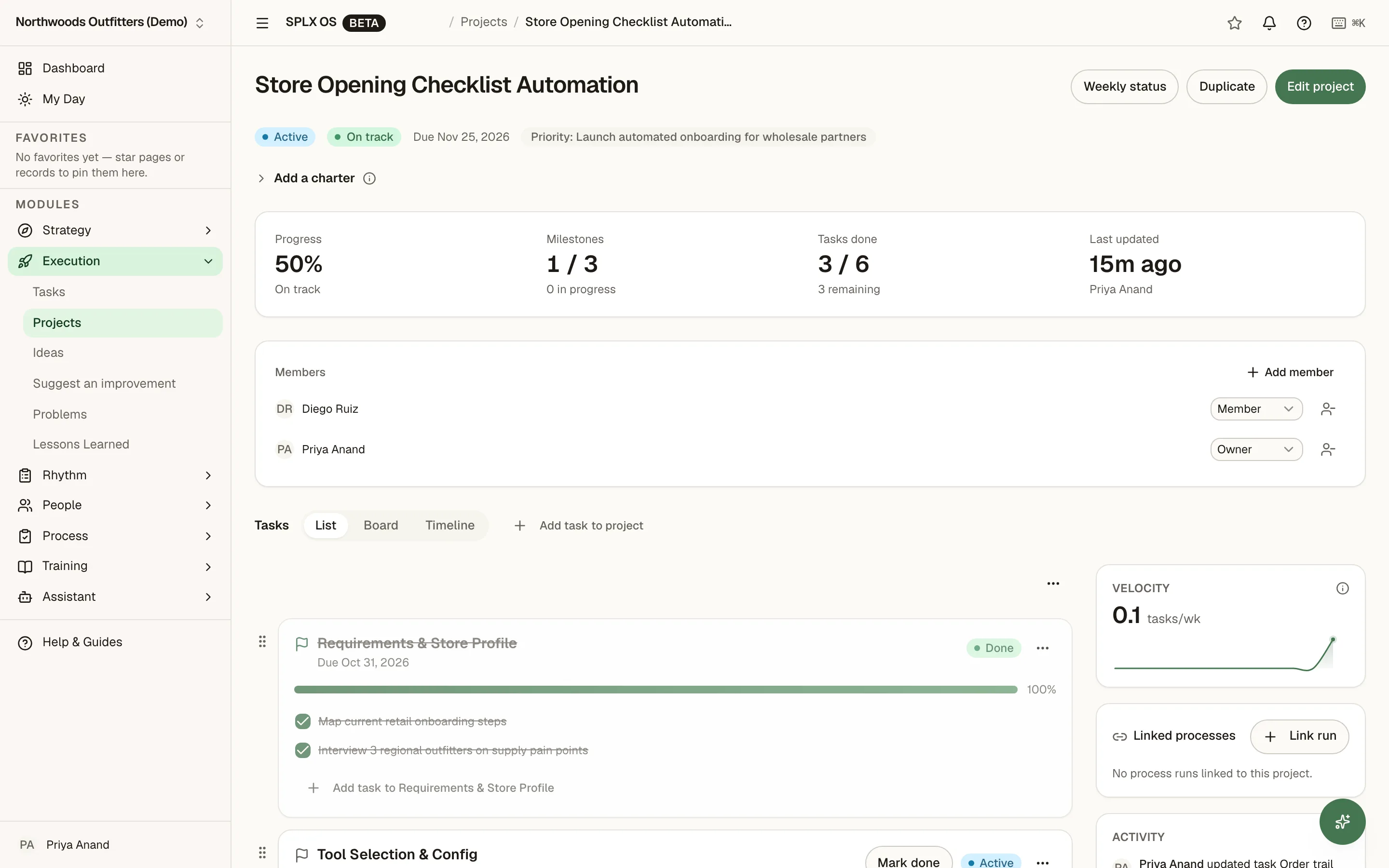
Organize projects into milestones and tasks, with owners and progress bars. Switch between List, Board, and a Gantt-style Timeline, and track task blockers.
- → Edit task fields inline in the table or detail panel
- → Comments stay attached to tasks, projects, milestones, and CRM deals
- → Review active projects and project health on your dashboard
Priorities your team can follow.
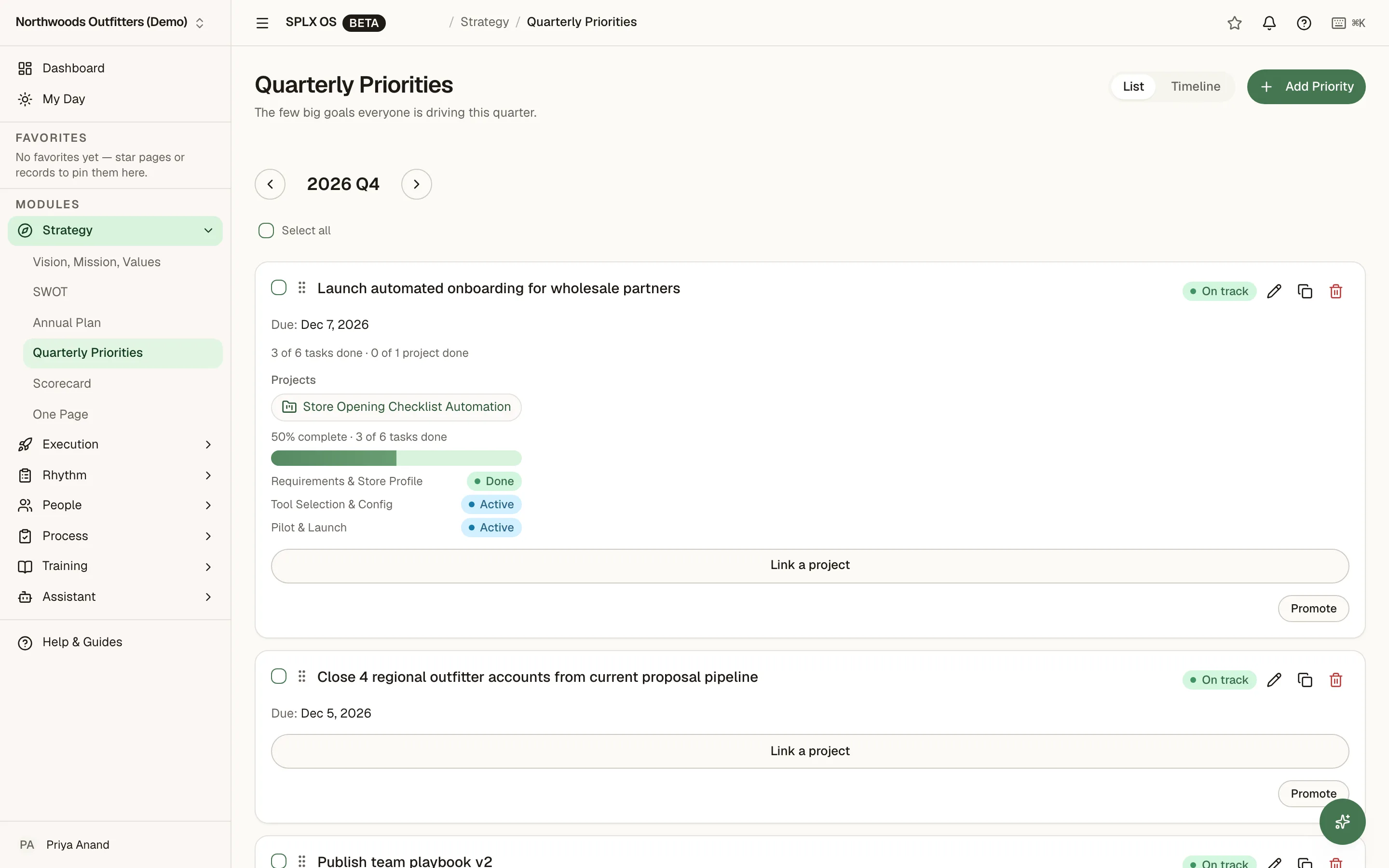
Quarterly Priorities include owner status check-ins with optional notes, status history, and reminders after 7 days without a check-in — at most weekly for active priorities in the current quarter. Pair them with a Scorecard, Annual Plan, SWOT, and a One-Page Plan to keep direction visible.
- → Link priorities to metrics and projects
- → Scorecard metrics with targets and scheduled snapshots
- → One-Page Plan with PDF export and a share link
- → Weekly project progress emailed to owners and admins by default; other members can opt in
Your business at a glance.
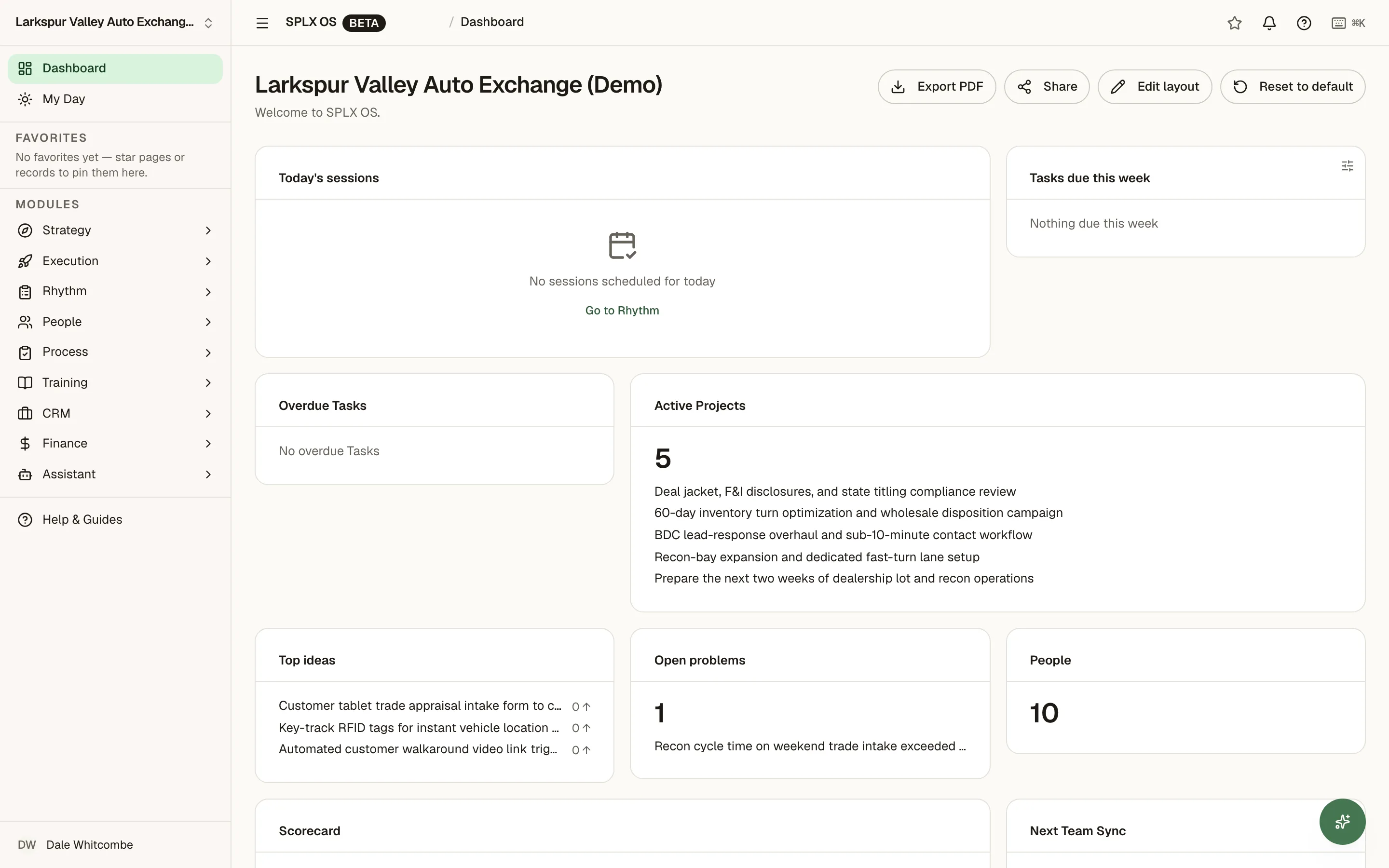
See tasks due, active projects, top ideas, and open problems in a configurable widget grid. Choose the widgets that help you decide what needs attention.
- → Sparkline trends — 12-week trends available in the widget picker
- → Pipeline value, tasks due, and project health widgets
- → Export to PDF for the board meeting
What SPLX OS replaces — and what it doesn't
Bring day-to-day work together
Replace your project tool, a simple CRM, meeting agenda and notes docs, the KPI spreadsheet, and the SOP binder.
Keep your specialist tools
Work alongside QuickBooks Online — Finance reads your P&L via sync — email and calendar tools, Google/Microsoft sign-in and Microsoft 365, Slack, and payroll.
SPLX OS does not do bookkeeping, a general ledger, payroll, marketing automation, or full sales-automation CRM.
From a won deal to a weekly review
- Mark a deal won in CRM.
- Promote the won deal to a linked project in one step (see the deal-to-project guide), then add milestones and assign tasks with due dates.
- Each owner's upcoming and overdue tasks appear on My Day.
- Review project health on the dashboard. Configure Scorecard metrics to take scheduled snapshots of operational data.
- Review the Scorecard, priorities, and next actions together in a weekly Rhythm meeting.
Three things we believe.
Software that demands your attention all day has failed its job. Good tools work in the background until you need them.
Fourteen tools that share identity and a dashboard beats fourteen best-of-breed apps that don't know each other exists.
Teams at businesses of roughly 5–25 people need clear owners, shared priorities, and a regular place to review progress.
Sometimes the fix isn't software.
SPLX Group also runs continuous-improvement and sales & operations planning engagements for operations teams who need a facilitator and a cadence, not just a workspace.
Consulting at splx.group →Your 30-day free trial. No card.
Create an account in about 5 minutes. Use the setup guide to build a useful starting workspace — priorities, a Scorecard, and your first weekly meeting — in under 2 hours. Try it with your leadership team for a few weekly meetings during the 30-day free trial. Plan to roll out to the team over about 90 days, with Guided Rollout or at your own pace.
30-day free trial · no credit card